Windows POS System
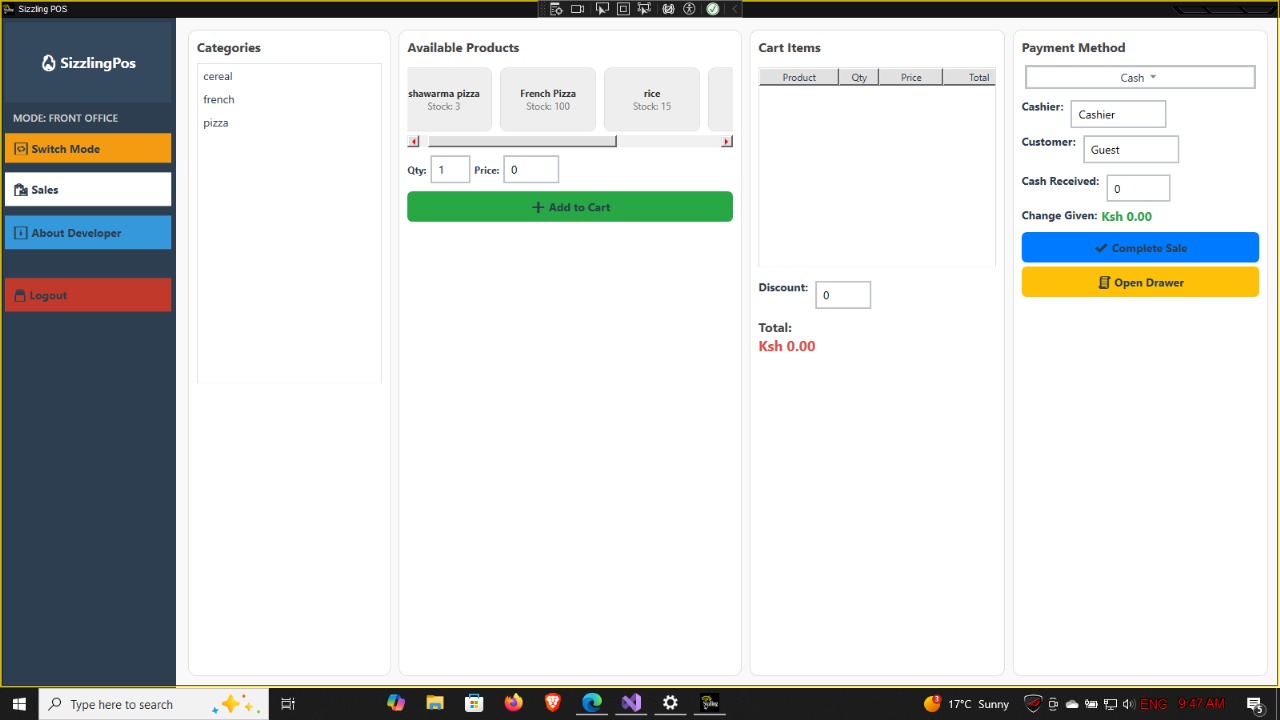
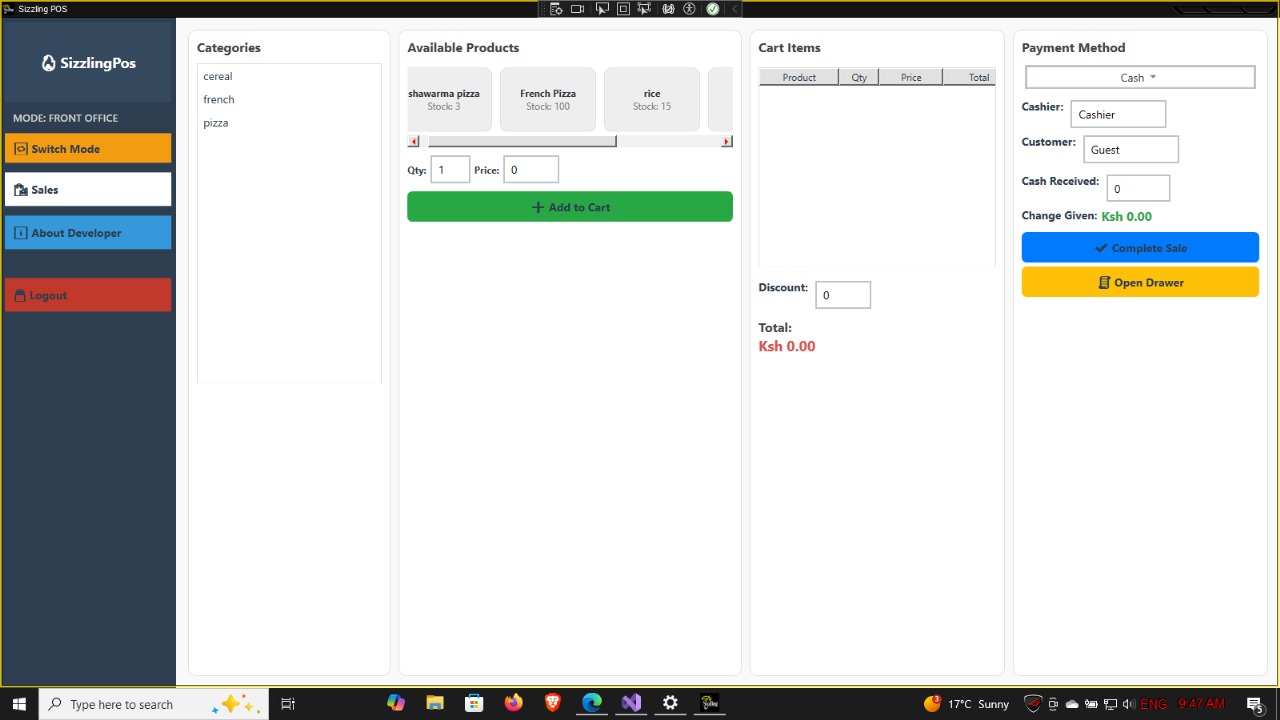
A Windows POS system for faster checkout, inventory visibility, receipt workflows, discounts, tax handling, and daily business reporting.
Internal build reference: WINDOWS POS
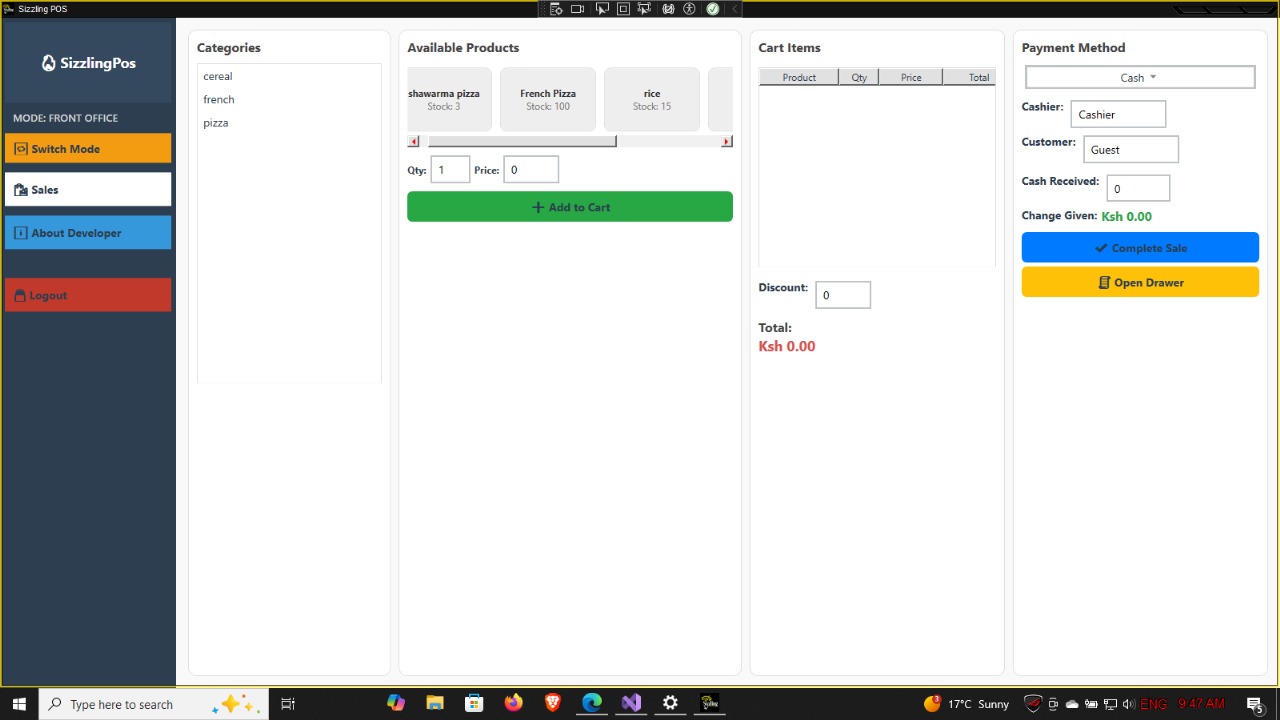
A Windows POS system for faster checkout, inventory visibility, receipt workflows, discounts, tax handling, and daily business reporting.
Internal build reference: WINDOWS POS
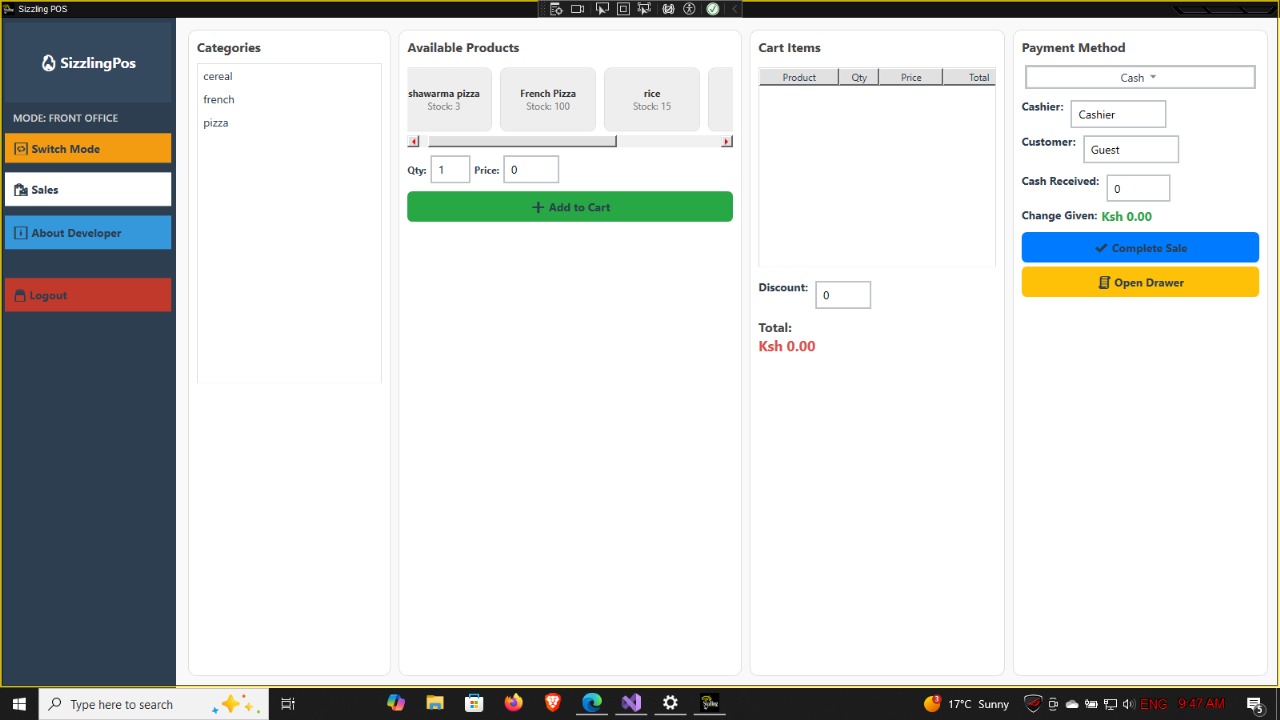
Retail businesses need fast checkout, stock visibility, payment control, and simple daily reporting without slowing down cashier work.
We delivered a Windows POS experience for sales processing, product selection, inventory management, discounts, receipts, and business reporting.
The tools matter, but on the Axoryn Labs business site they support the main goal: useful, reliable systems for real operations.
This Windows-based Point of Sale (POS) application was developed using C# and the .NET Framework to streamline retail and inventory management operations. It provides a fast, reliable, and user-friendly interface for sales processing, stock control, and business reporting — optimized for offline and small-to-medium retail environments. ⚙️ Key Features Sales & Billing: Intuitive cash register interface for barcode or manual item entry Supports multiple payment methods (cash, card, mobile money) Automatic tax/VAT calculation and discount handling Inventory Management: Add, edit, and track product quantities and prices Real-time stock updates after each sale Low-stock notifications and item categorization User Accounts & Security: Role-based login (Admin, Cashier, Manager) Secure authentication and audit logs for key activities Reports & Analytics: Daily, weekly, and monthly sales summaries Inventory and profit reports generated via Crystal Reports or built-in reporting tools Export reports to PDF or Excel Customer & Supplier Management: Maintain customer profiles and transaction history Record supplier information and purchase orders Database Integration: SQL Server (or SQLite) backend ensures data integrity and high performance Auto-backup and restore functionality 🖥️ Technical Implementation Built using C# on .NET Framework (WinForms/WPF) Data access implemented via ADO.NET / Entity Framework Layered architecture (UI, Business Logic, Data Access) for maintainability Uses Crystal Reports for formatted printouts and receipts Deployed as a standalone Windows Desktop Application (supports both 32-bit and 64-bit systems) 🎯 Outcome The POS system reduced transaction time, improved inventory accuracy, and simplified sales reporting for end users. It was designed to be extendable, allowing integration with barcode scanners, receipt printers, and future cloud sync capabilities.
Share your workflow, current pain point, required integrations, and timeline. We will help you shape the right software, hardware, network, or automation path.